


HyperClean AI
4.3271.00 Reviews
App Specs
- Version
- V1.1.21
- Updated On
- License
- Free
- Downloads
- 1,000,000+
- Developer
- YIXIANG
- Categories
- Tools
- Platform
- Android
Screenshots
 Analysis by AppCompare
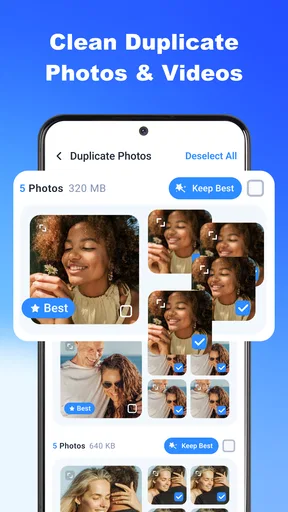
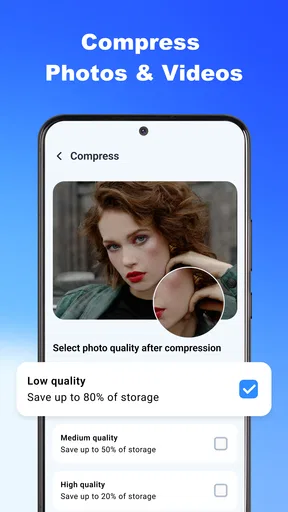
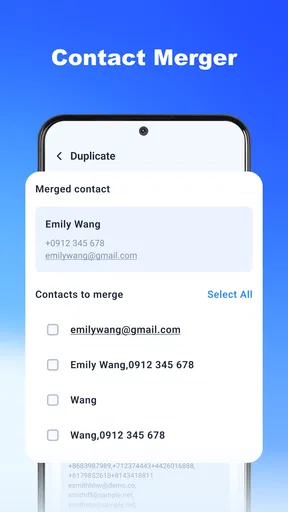
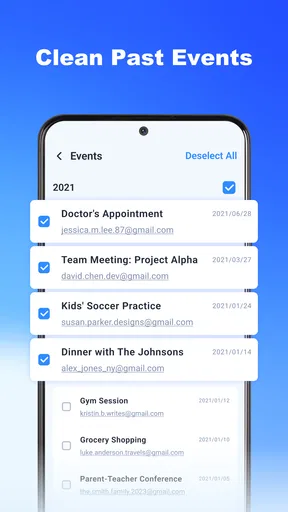
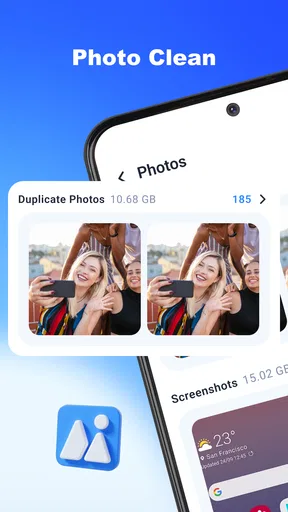
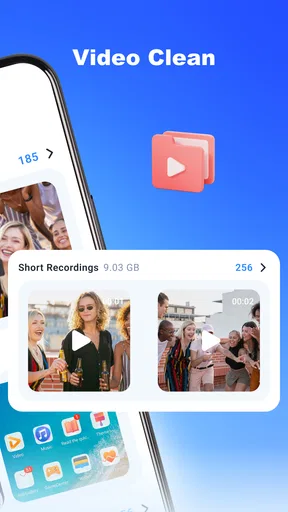
When a phone starts complaining about low storage, the tempting fix is to tap a big “clean” button and hope for the best. I prefer to know what an app is proposing to remove before I let it make changes. That is the first thing I’d keep in mind with HyperClean AI: treat it as a helper for reviewing clutter, not as permission to delete everything it flags automatically. Its focus is on finding duplicate photos and videos and clearing junk files, which makes it most useful when storage has become a recurring nuisance rather than a one-off emergency.
What to expect from a cleaner
HyperClean AI is a free tools app from YIXIANG, with a 4.5 average from around 7,700 ratings and over a million installs. It is rated for everyone, and the current version is V1.1.11. Some purchases are offered within the app, ranging from $6.99 to $39.99 per item, so I’d check the purchase screen carefully before starting a paid option. Those details matter because a cleaner can be useful without being something you need to pay for; I’d first see what the free experience actually lets me review and remove.
The practical promise here is narrower and more grounded than “make every phone faster”: help you spot repeated media and unnecessary files that take up room. That can be valuable if you take lots of photos, receive images in group chats, or download videos and forget about them. It is less compelling if your storage is mostly occupied by a few large apps or files you deliberately keep. A cleaning tool cannot make those choices for you, and removing data does not automatically improve every kind of performance problem.
Before the first scan
I’d begin by installing the app from the store for your device and opening it when I have a few quiet minutes, rather than while I’m rushing to take a photo or leave home. The app supports Android 6.0 and up. On first use, take a moment to read each request the operating system presents and consider whether it makes sense for the action you want to take. Access to media, for example, is relevant when reviewing photos and videos; I would not approve a request blindly just because a cleaner asks for it.
Then I’d decide what a successful first session means. If the immediate problem is a crowded camera roll, start with duplicate media. If an operating-system storage screen points to temporary or junk files, explore that cleanup path instead. Keeping one goal in mind makes the results easier to judge and helps avoid the common mistake of treating every suggested cleanup as equally urgent. I would also make sure any photos or videos I care about are backed up or otherwise safely kept before deleting anything.
Making the first cleanup a safe one
For a first meaningful action, I’d choose a small batch of obvious duplicates rather than clearing a large collection in one pass. Look at the actual images side by side: two near-identical shots can still differ in focus, expression, or framing, and a repeated-looking video may have a different moment worth keeping. If the app presents candidates for removal, use that as a shortlist to inspect, not as a verdict. Delete only what you recognize and are comfortable losing.
A realistic example is a weekend trip with several bursts of nearly identical photos, followed by images shared back and forth in a family chat. When storage starts running low, a duplicate review can help separate genuine repeats from the one version you want to keep. I’d work through one album or a manageable group at a time, then check the phone’s available storage before deciding whether another cleanup is worthwhile. This small-step approach is slower than a blanket sweep, but it gives you control and makes accidental losses less likely.
Worth Reading Before You Choose

Flipboard Shows What News Apps Must Do Beyond the Feed

Switching to Android Auto Means Rethinking Your Driving Routine

Google Calendar Makes a Crowded Week Easier to Manage

Ludo King Makes the Most of the Minutes Between Plans

Baby Panda World Brings Quick Play to Modern Phones, but Its Game Library Feels Busy

ESPN’s Live Game View Makes Following Close Games Easier
Where the convenience has limits
Cleaner apps are not all-powerful because phones already manage some temporary data themselves, and their access to files depends on the operating system and the permissions you grant. I would not expect a storage cleaner to fix a weak mobile connection, an aging battery, or a phone that feels slow for reasons unrelated to storage. Nor would I assume that every item labelled as unnecessary is safe to erase: downloads, cached media, and old documents may be clutter to one person and important records to another.
Compared with using the phone’s built-in storage screen, HyperClean AI’s appeal is the chance to review common clutter in a more focused cleaning workflow. The built-in tools are often the better first stop if you want the most direct view of what occupies space or prefer not to install another utility. A file manager can be a better choice when you want to inspect folders and decide manually, while a photo app’s own tools may suit someone whose only issue is a crowded gallery. I’d choose HyperClean AI when I want a guided pass over duplicate media and junk, not as a replacement for every storage tool.
Deciding what to trust and what to skip
One useful habit is to separate finding from deleting. Let the app identify candidates, then pause to check names, previews, and context wherever those are shown. If a proposed cleanup concerns a type of file you do not recognize, leave it alone until you know what it is. That is especially sensible for work documents, travel tickets, downloaded maps, or media saved for offline use. The small amount of extra checking is worthwhile when the cost of a mistaken deletion could be much higher than the space recovered.
I’d also avoid making cleanup a daily ritual without a reason. If the phone has plenty of free space and is behaving normally, repeated scans may add little value and can tempt you to remove files you would rather keep. A better routine is to run a review when storage warnings appear or after a period of heavy photo and video use, then compare the phone’s storage afterward. That gives you a concrete result to judge instead of relying on a vague feeling that the device ought to be cleaner.
HyperClean AI is a better fit for people who want a guided way to inspect duplicate media and storage clutter, especially those who are comfortable checking suggestions before acting. I’d skip it if you want a fully manual file-by-file process, dislike granting a cleaner access to media, or expect an app to solve performance issues unrelated to storage. The app’s free starting point makes it reasonable to explore, but I’d be deliberate about any in-app purchase and avoid paying until I know the features on offer address a problem I actually have.
First Impressions and Installation
Installing HyperClean AI was a breeze. A quick search on the App Store (or Google Play if you're an Android user) led me straight to it. The download was swift, and I was ready to dive in. The app’s interface is sleek and minimalistic, which I appreciated. It’s intuitive enough that even someone who isn’t tech-savvy could navigate it without a hitch.
Getting to Know the Features
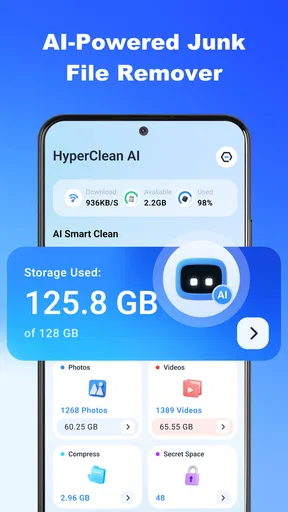
Once you’ve fired up HyperClean AI, you’re greeted with a dashboard that makes you feel like you’re at the helm of a high-tech spaceship. The main features are laid out clearly. There’s a Smart Cleaner that identifies and deletes duplicate files, a Junk File Remover that clears out the unnecessary data hogging your storage, and a Battery Saver that optimizes your device’s battery usage.
One of the standout features for me was the App Manager. It provides a comprehensive list of apps installed on your device, complete with data usage stats. This made it super simple to identify the apps I hadn’t used in ages and finally let go of them. Talk about a digital declutter!
AI-Powered Cleaning
The real star of the show is the AI-driven technology. The app claims to learn your usage patterns to provide personalized cleaning suggestions. I was skeptical at first. I mean, how well could it really know my habits? But after a week of use, I noticed it was suggesting precisely the files I’d been meaning to get rid of but hadn’t gotten around to. It’s like it was reading my mind!
Another impressive aspect is its real-time monitoring. The app runs quietly in the background, keeping tabs on what needs cleaning without being intrusive. I didn’t experience any slowdown or lag, which is always a bonus.
Performance and Usability
In terms of performance, HyperClean AI delivers on its promises. My phone, which had been sluggish due to storage issues, felt noticeably quicker after a few cleaning sessions. The app’s algorithms seem to do a stellar job of identifying junk files and clearing them out efficiently.
Usability-wise, the app is top-notch. The developers have clearly prioritized user experience, and it shows. There are helpful tips scattered throughout the app, guiding you on how to make the most of each feature. Plus, the settings menu is straightforward, allowing you to customize the app’s behavior to suit your needs.
Final Thoughts on HyperClean AI
So, would I recommend HyperClean AI? Absolutely. It’s a powerful tool for anyone looking to optimize their device’s performance and reclaim some precious storage space. The AI integration is a game-changer, providing a level of personalized cleaning that I haven’t seen in other similar apps.
If you’re tired of manually sorting through your files and want an app that does the heavy lifting for you, give HyperClean AI a try. It's like having a digital maid service at your fingertips, ensuring your device runs smoothly without the clutter.
Ready to experience the magic of HyperClean AI? Head over to your app store and download it now. Trust me; your phone will thank you.
Pros
- Efficiently removes duplicate photos and files.
- User-friendly interface with intuitive navigation.
- Customizable cleaning options for specific needs.
- Integrates seamlessly with cloud storage services.
- Regular updates enhance performance and features.
Cons
- Free version has limited features.
- Occasional false positives in file detection.
- Requires internet connection for full functionality.
- Can consume significant battery during scans.
- Subscription model may not suit all users.
FAQs for HyperClean AI
What is HyperClean AI and how does it work?
HyperClean AI is an innovative app designed to optimize and clean your device's storage by utilizing artificial intelligence. The app automatically detects unnecessary files, cache data, and duplicates, then safely removes them to enhance device performance. Its AI-driven algorithms ensure that essential data remains untouched while optimizing overall speed.
Is HyperClean AI safe to use on my device?
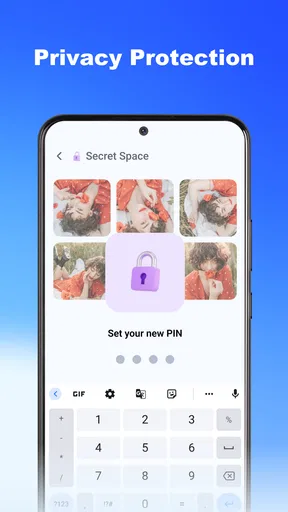
Yes, HyperClean AI is designed with user safety in mind. It employs advanced security measures to ensure that your personal data is protected and not accidentally removed. The app only targets files that are identified as unnecessary or redundant, ensuring that critical system files and personal data are left intact.
Does HyperClean AI require a subscription or is it free?
HyperClean AI offers a freemium model. Users can access basic cleaning functions for free, but advanced features, such as deep cleaning and real-time monitoring, require a subscription. The app provides various subscription plans to suit different user needs, allowing for flexibility and affordability.
Will HyperClean AI affect the performance of my other apps?
No, HyperClean AI is designed to enhance overall device performance without interfering with other apps. By freeing up storage and clearing unnecessary processes, it can actually help improve the speed and efficiency of other applications on your device. Its smart algorithms ensure seamless operation.
What types of files does HyperClean AI remove?
HyperClean AI targets a range of unwanted files, including cache, temporary files, duplicate images, and residual files left by uninstalled apps. The app’s AI is trained to distinguish between essential and non-essential data, ensuring that only clutter is removed, thus optimizing your device’s storage effectively.


